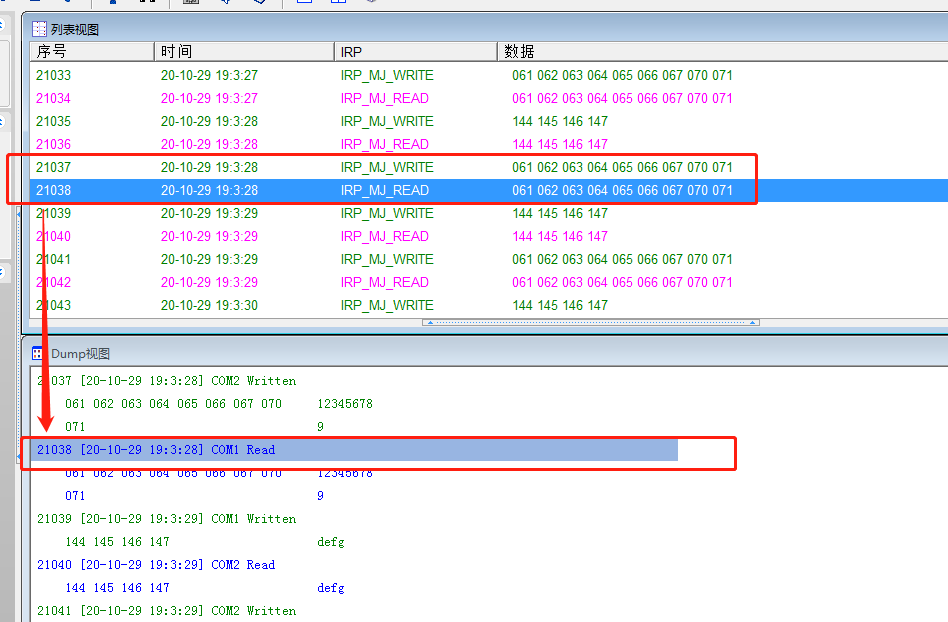
CommMonitor - Options Dialog - General
CommMonitor Options - General Settings
1. Numeric Display Format:
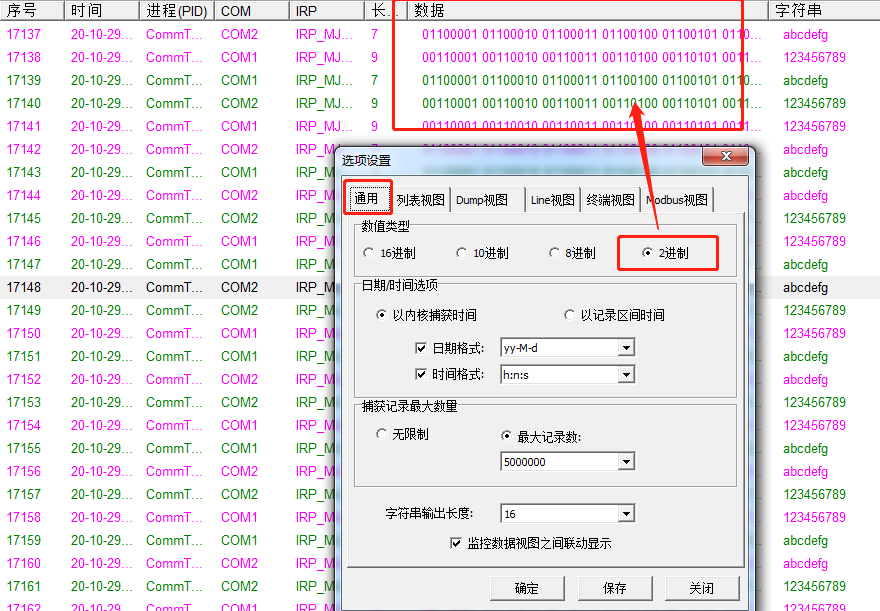
a. You can display data in Hexadecimal (16), Decimal (10), Octal (8), or Binary (2) format. Binary display is shown below. The default is Hexadecimal.
b. Supports numeric base display for List View, Line View, and Dump View.
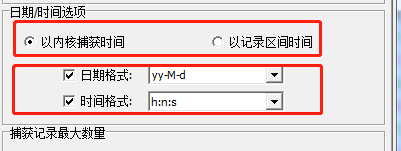
2. Date/Time Options: as shown below
a. Supports kernel capture time and recording interval time. The default is kernel capture time.
b. Date Format, Time Format: Customizable date/time formatting styles.
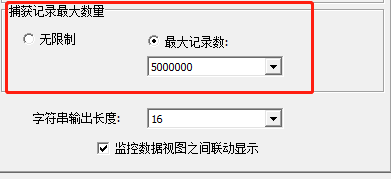
3. Max Capture Records: as shown below
a. Unlimited: Monitoring data is not automatically cleared until memory is exhausted.
b. Max Records: When monitoring data reaches the specified count, the buffer is automatically cleared and reset.
c. CommMonitor memory access supports over 2GB and up to 4GB of memory.
4. String Output Length:
This is specifically for Line View and Dump View, used to split and wrap string display for better readability.
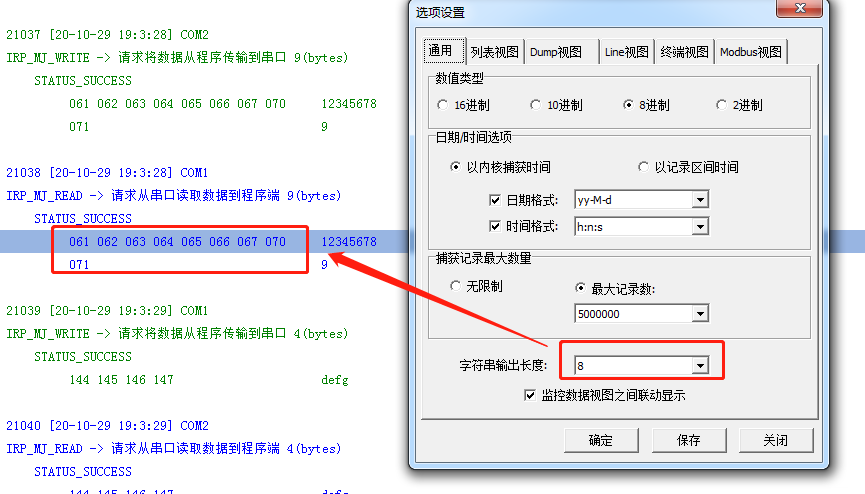
5. Linked View Display: Links data packets across different views for synchronized display. Supports List View, Line View, and Dump View.