CommMonitor - How to Set the Data Encoding Format for Monitoring
2026-05-17
CommMonitor - How to Set the Data Encoding Format for Monitoring?
1. Go to [Settings] menu or right-click on the selected view->[Encoding Method], as shown below:
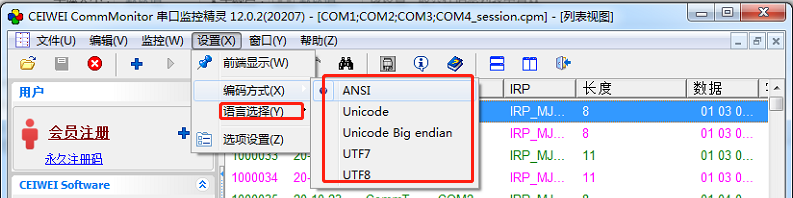
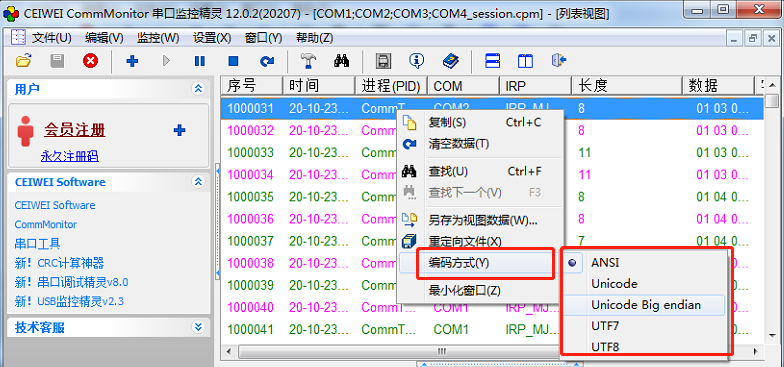
Data Encoding Method:
This depends on the encoding used by the monitored software and serial device communication. You need to know what encoding format they use,
so that after setting it, you can decode the strings according to this encoding method.
