CommMonitor - How to Set Modbus Protocol Options
2026-05-17
CommMonitor - How to Configure Modbus Filter Options?
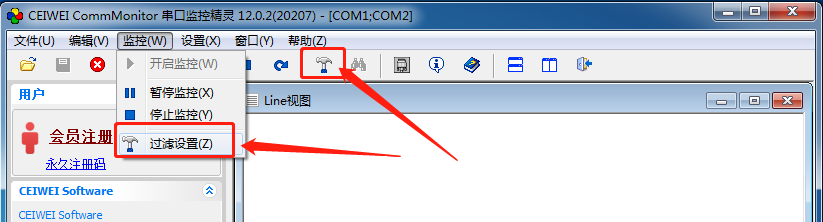
1. Go to Menu->Monitor->Filter Settings or click the Filter Settings button on the toolbar, as shown below:
2. Modbus Filter Settings:
CommMonitor serial port monitoring can filter all standard Modbus protocols and can also include custom commands, but custom commands cannot be analyzed.
They can only be automatically separated by serial port data. For ASCII mode, CRLF is used as the delimiter.
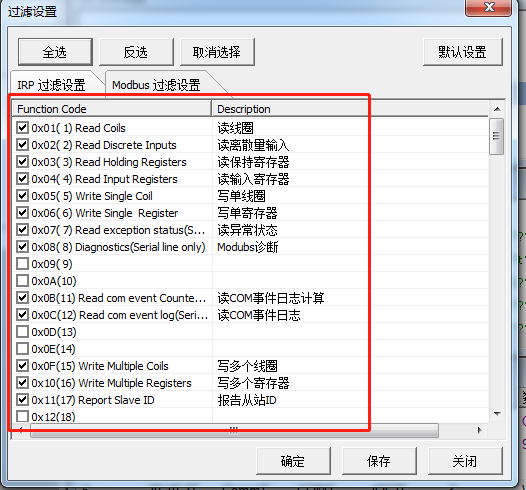
3. OK: Applies the current settings without saving them. Save: Saves the current settings and applies them. For IRP filter
settings, please refer to IRP-related help.
