CommMonitor - How to Configure Monitoring Options
CommMonitor - How to Configure Monitoring Filter Options?
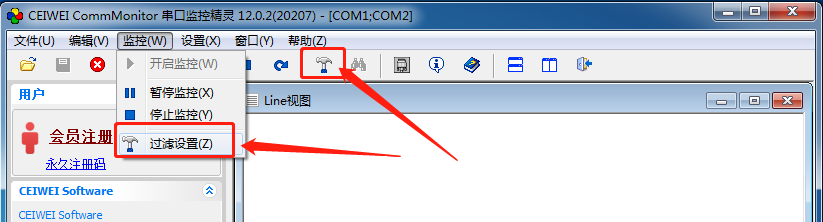
1. Go to Menu->Monitor->Filter Settings or click the Filter Settings button on the toolbar, as shown below:
2. IRP Filter Settings:
Serial port monitoring can filter all standard serial port IO control requests (IOCTL) and other major function IRPs.
These are divided into main IRPs and serial port IOCTL control code filters. IRP_MJ_DEVICE_CONTROL is the IOCTL control code
main IRP function code. If this main IRP function is not filtered, its sub-function codes will not be filtered. Therefore, during configuration, if
a sub-function code is selected, the main IRP_MJ_DEVICE_CONTROL IRP will be automatically selected as well.
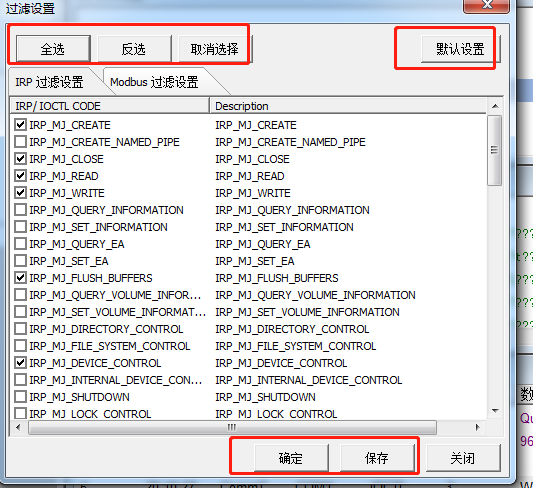
3. OK: Applies the current settings without saving them. Save: Saves the current settings and applies them. For Modbus filter
settings, please refer to Modbus-related help.
