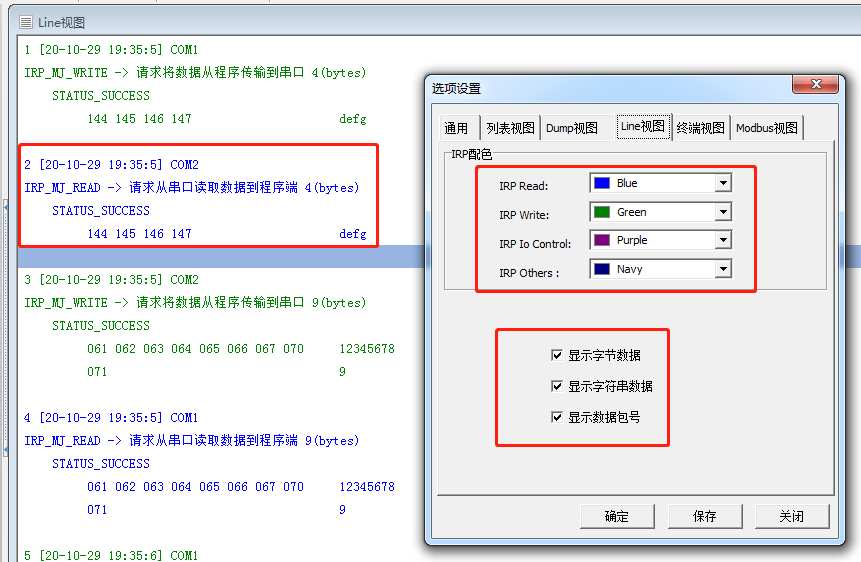
CommMonitor - Options Dialog - Line View
2026-05-17
CommMonitor Options - Line View Settings
1. IRP Color Settings: In Line View, you can display Read, Write, IOCTL, and other IRP types with different colors for easy identification.
2. Line View Options:
a. Show Byte Data: Displays data on the left side in hexadecimal/byte format.
b. Show String Data: Displays decoded string data on the right side.
c. Show Packet Number: Displays the packet sequence number before the timestamp.