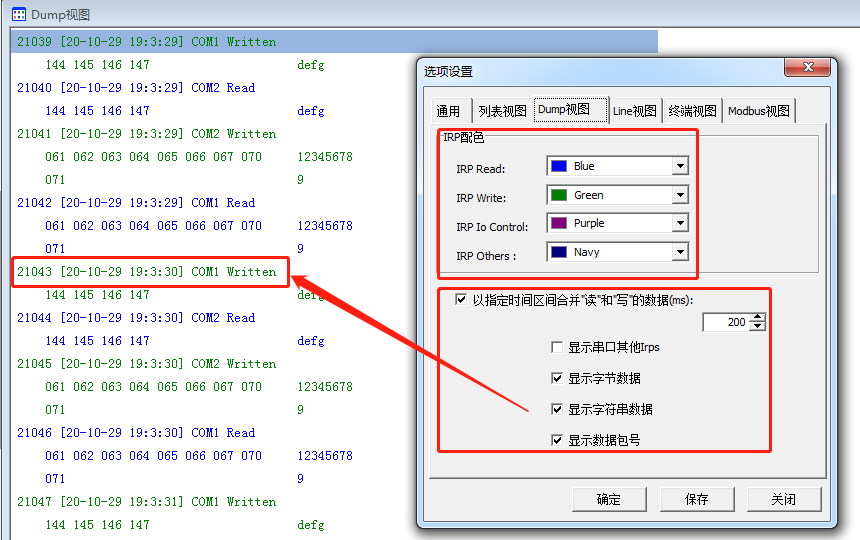
CommMonitor - Options Dialog - Dump View
CommMonitor Options - Dump View Settings
1. IRP Color Settings: In Dump View, you can display Read, Write, IOCTL, and other IRP types with different colors for easy identification.
2. Dump View Options:
a. For monitoring Read/Write data only, data can be merged at specified time intervals:
Merge Requirements: Single port monitoring with small read/write delays will be merged. When monitoring multiple serial ports simultaneously, data streams may be interrupted and merging will be invalid.
b. Show Other Serial IRPs: Displays non-Read/Write IRPs such as IOCTL, IRP_MJ_CLOSE and other IRP requests.
c. Show Byte Data: Displays data on the left side in hexadecimal/byte format.
d. Show String Data: Displays decoded string data on the right side.
e. Show Packet Number: Displays the packet sequence number before the timestamp.